Senior Product Designer | Enterprise SaaS
Platform
Mobile (iOS & Android) and Desktop
Role & Team
I led the end-to-end UX for a smart kitchen equipment platform used by frontline technicians as the first Lead UX/UI Designer and Researcher working with 24 team members:
24 members, including hardware engineers, Software engineers, TPMs, PMs, and SME
Note
To comply with my non-disclosure agreement, I have omitted and obfuscated confidential information in this case study. The information in this case study is included in my research report and does not necessarily reflect Welbilt
(a subsidiary of Ali Group) & Ali Group.


PAIN POINTS
What was really happening?
Overview:
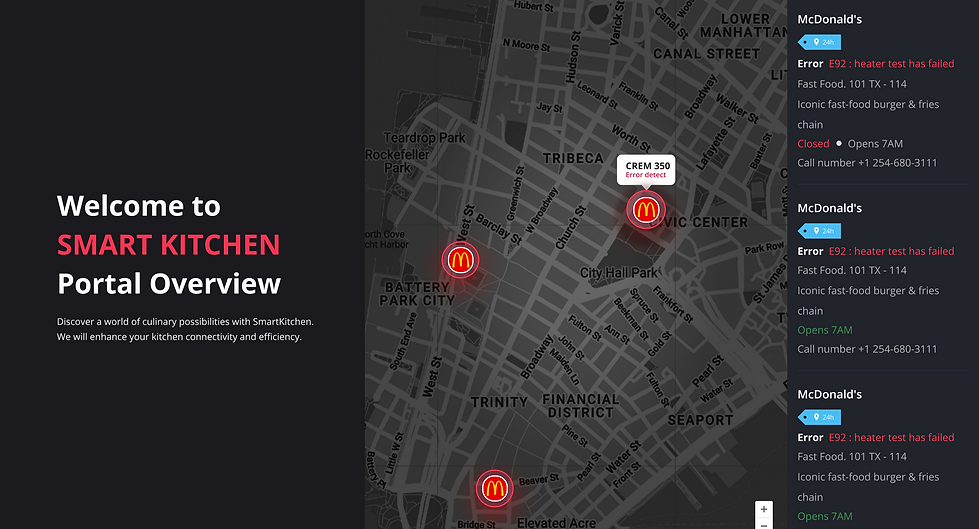
Equipment dashboards often surface error codes without explaining what actions technicians should take.
This creates operational delays, increases support tickets, and ultimately forces companies to hire additional technicians to maintain service levels.
A technician sees something like: Error Code EA_10.00 – Critical
THE PROBLEM
Why vague alerts were hurting the business
🔥Overview
Users got vague error codes like “C0128 – Critical.” They didn’t know what to do next. That caused downtime, stress, and support calls.
⏱️User: Inefficient tracking information led to delays, lost revenue, and frustrated kitchen teams
💡Business impact: Delayed issue resolution led to operational inefficiencies and financial losses


BUSINESS GOAL
What were we trying to fix?
👷 For users:
They just wanted to know two things:
When is maintenance due?
And what’s breaking — before it breaks?
🏭 For the business:
Every delayed fix meant lost time, lost food, and frustrated teams.
So our north star was simple: cut downtime and make kitchen operations run smoother with less manual back-and-forth.

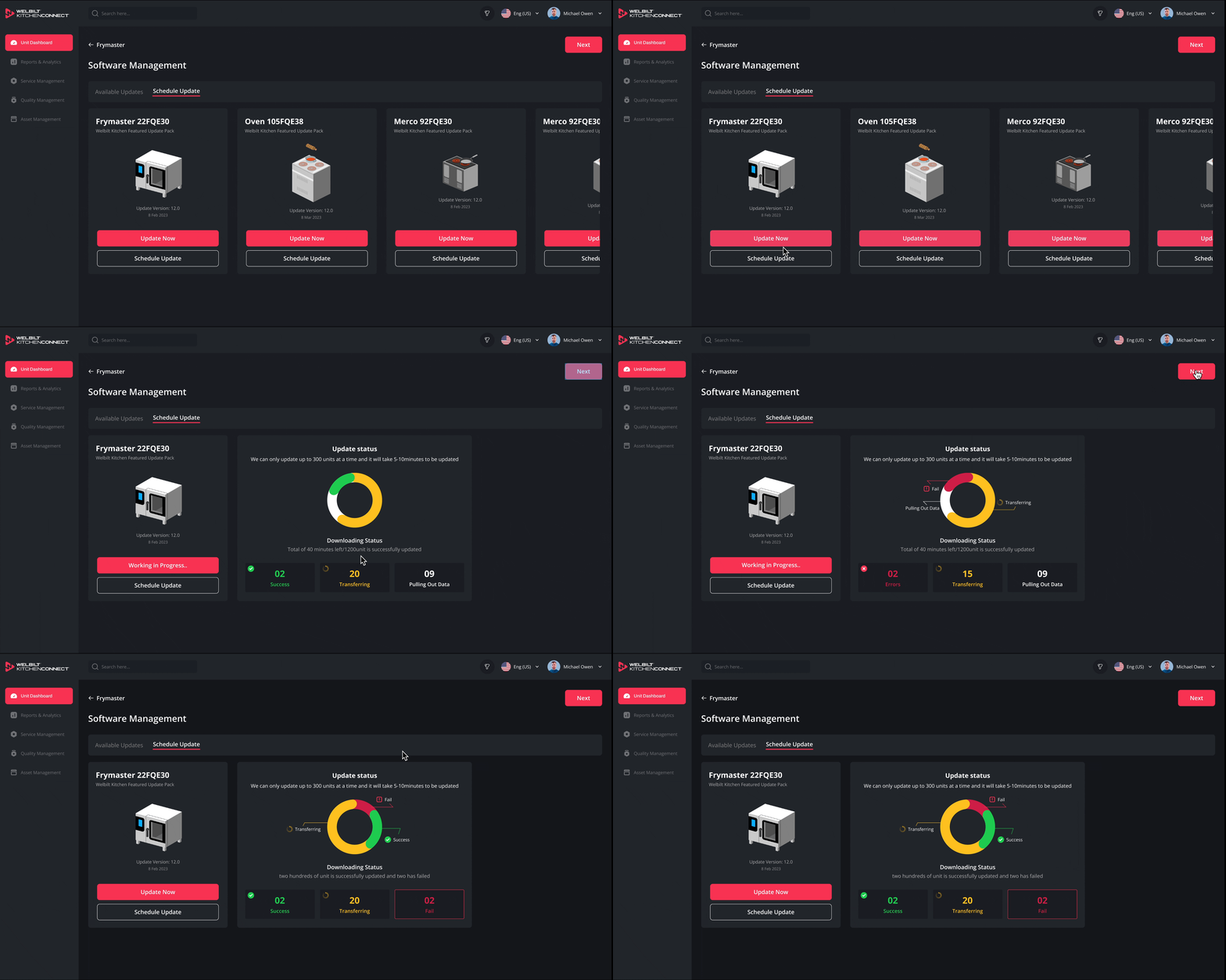
Now users can finally see what’s happening in real time — how many units are updating, how long it’ll take, and what failed (and why).
BREAKING DOWN THE PROJECT
How the old system failed during updates
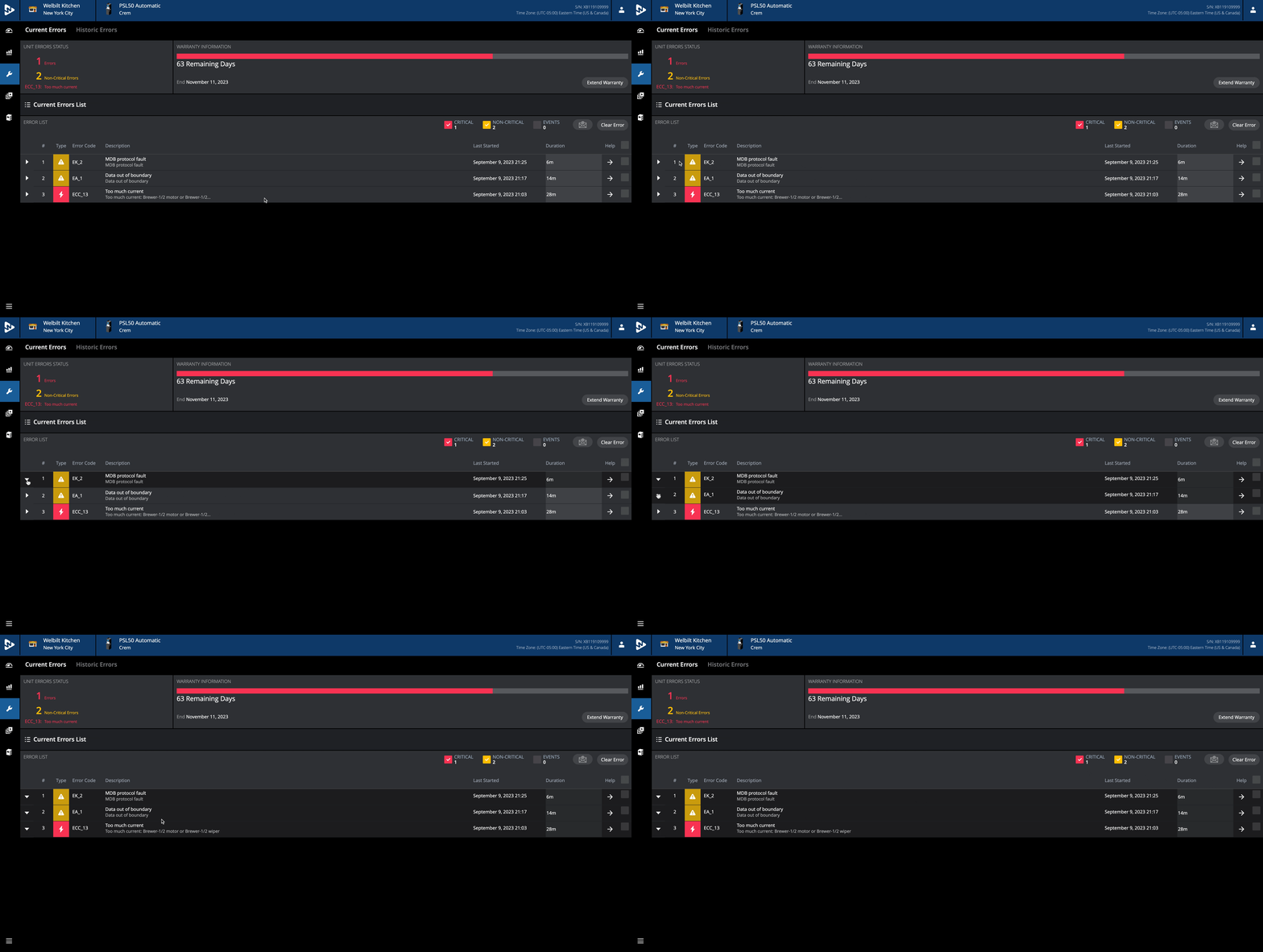
In the old system, technicians were stuck with vague error codes like “C0128” and no instructions on what to do next. They had to click through multiple menus just to guess what might be wrong — which usually meant more time, more stress, and more downtime.

🚫Unclear Error Code and Next Step
Technicians were getting these weird error codes like “C0128”... and
that was it.
No explanation. No action plan. Just: “Something’s wrong.”
They had to click through 3–4 menus and still weren’t sure what to fix.


🚫Lack of Clear Information in Notifications
Notifications were just random messages.
No color, no warning, and no way to tell what needed attention.
Techs had to call support or just hope they were doing the right thing.

✅ Simplified Task Flow
I redesigned the interface to show clear, human instructions
—“Change oil filter within 3 hours.”
I added visual urgency cues, grouped alerts, and made the whole thing non-technician-friendly with actionable tasks.

✅ Replaced vague alerts with color-coded, human-readable cues — no guesswork needed.
Now it shows what’s working, what’s transferring, what failed —
all in one glance, with colors and clear labels.
Even if something goes wrong, users know what happened and what to do next.
As a result, the new design has the potential to reduce customer care tickets from 3,500 to 1,500—representing a projected 60% increase in productivity for the customer care team.
RESULT AND IMPACT
⚡ Results at a Glance

People don’t have time to decode techy error codes — they just need answers. So I gave them exactly that.
It’s faster, way less stressful, and helps the whole team work smoother.
01
Kitchen managers achieved 98.4% Device Online Rate
02
Update Success Rate achieved 94.6%
Lastest Version Adoption was 89.2%
03
04
Auto-Update Success Rate achieved 92.1%
PROTOTYPE
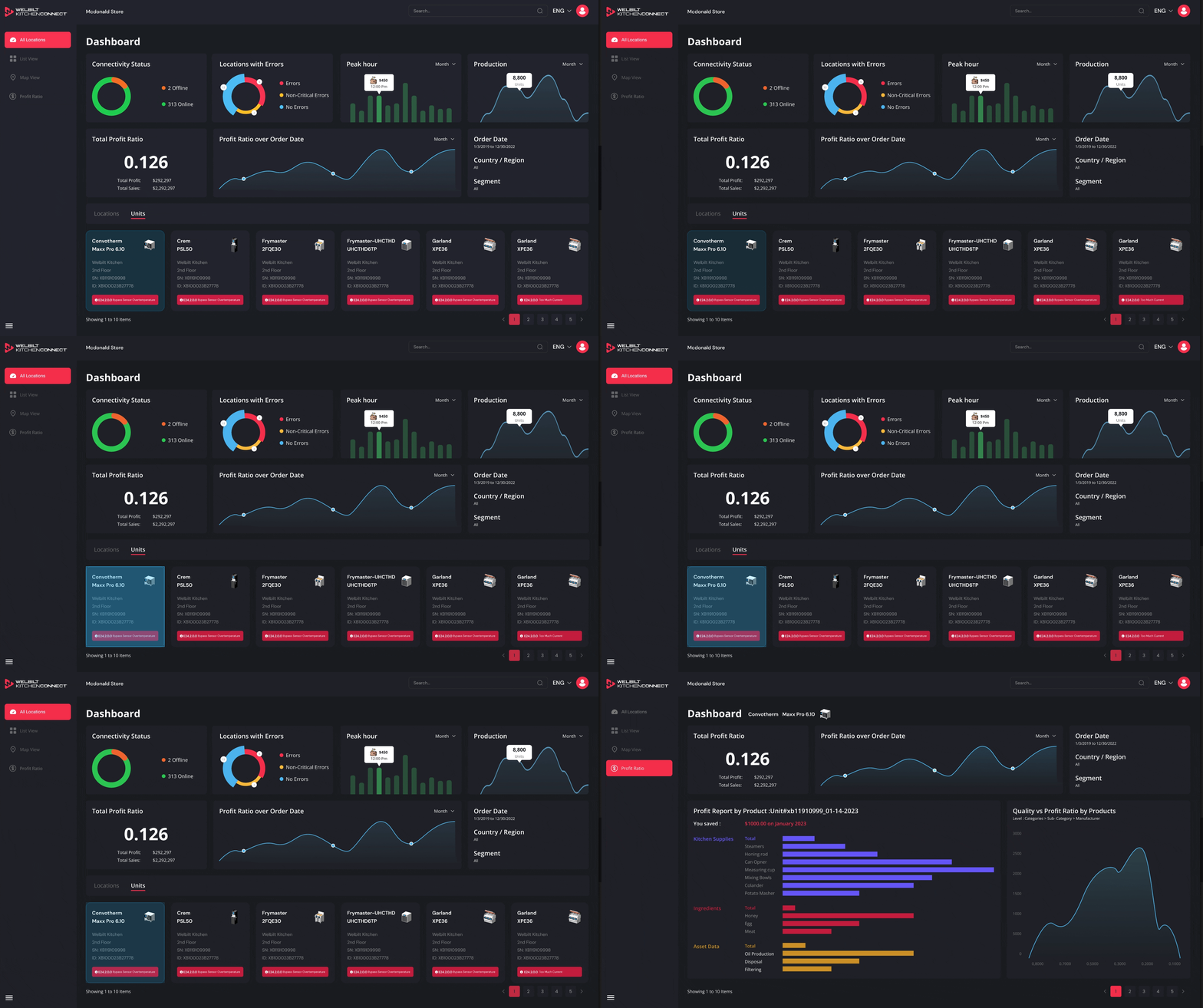
Resolution time 38% faster. Less panic. Less downtime. Try the prototype.
DOCUMENTATIONS
How I kept the design momentum even through team changes
Even when the design team acquire by Ali Group mid-project, I kept everything moving with clear specs and smooth handoffs.
I envision a roadmap for the team to pursue enhancements that will further elevate the kitchen dashboard’s capabilities, ensuring continued growth and success even after my departure
-
Documented new components (cards, charts, filter dropdowns)
-
Added to the company’s design system for reuse across products.
